Last updated: [ 2026 / 8 / 7 ]
Contents
- What is an infostealer?
- How your passwords end up stolen
- Signs you might be infected
- How to protect yourself
- FAQ
- Make the Right Choice for Your Privacy
You can have strong, unique passwords and still lose them all in one go — if the theft happens on your own computer instead of a company's server. That's what infostealers do, and they've quietly become one of the most common ways credentials leak in 2026. Here's how they work and how to stay out of their reach.
What is an infostealer?
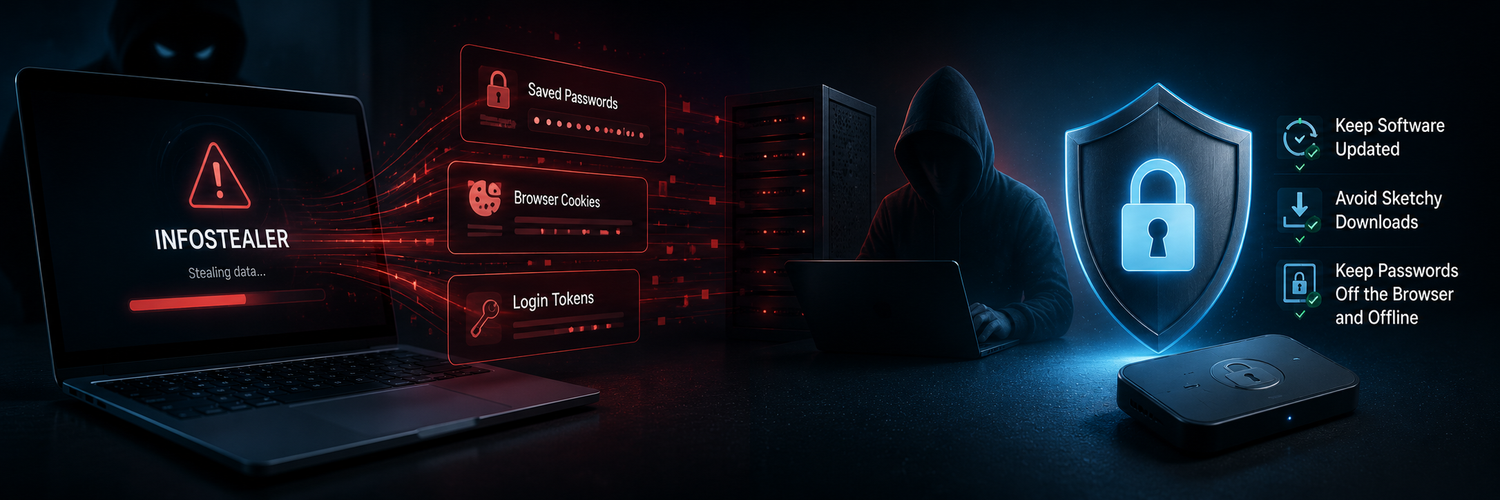
An infostealer is a type of malware with one job: get onto a device and quietly scrape everything useful for logging in — saved browser passwords, session cookies, autofill data, and authentication tokens — then send it all to an attacker. Unlike a dramatic ransomware attack, it's designed to be invisible; many victims never notice. The stolen data is then sold or fed into account-takeover attacks.
How your passwords end up stolen
The important shift to understand: many recent "leaks" didn't come from any website being hacked. They came directly from infected personal computers. In mid-2026, a single collection of stolen credentials — more than 124 million passwords — was added to breach databases, sourced not from one company breach but from countless infected PCs. If your passwords live in your browser, they're exactly what these tools are built to grab.

Signs you might be infected
Infostealers try to stay hidden, but watch for:
- Logins from unfamiliar devices or locations despite a strong, unique password.
- Being signed out of accounts unexpectedly (stolen session cookies can invalidate your session).
- Sluggish performance, unknown programs, or software you didn't install.
- Accounts compromised even though you never entered the password on a suspicious site.
How to protect yourself
- Be careful what you download and run. Infostealers spread through cracked software, fake installers, malicious attachments, and shady browser extensions.
- Keep your OS, browser, and security tools updated, and run reputable anti-malware.
- Don't keep your most sensitive passwords in the browser. Browser-stored credentials are the primary target. Keep critical logins somewhere isolated.
- Store your most important credentials offline. A device that isn't connected to your computer or the internet simply isn't reachable by malware scraping your PC.
- Use a hardware security key on key accounts, so even stolen passwords or tokens can't complete a login.
FAQ
-
Does antivirus fully protect me from infostealers?
It helps, but no tool catches everything. Good habits (careful downloads, updates) plus keeping sensitive passwords off the browser reduce the damage if something slips through. -
Can an infostealer bypass my two-factor authentication?
Sometimes — by stealing session cookies or tokens, it can ride an already-authenticated session. A hardware security key and re-authentication for sensitive actions reduce this risk. -
Are browser-saved passwords really that risky?
They're convenient but a prime target — harvesting browser credentials is exactly what infostealers are built to do. Keep low-risk logins there if you like, but not your critical ones. -
How do I know if my passwords were stolen this way?
Check your email at a breach-monitoring service, watch for unfamiliar logins, and if you suspect infection, change passwords from a clean device after cleaning the infected one.
Make the Right Choice for Your Privacy
Infostealers turned your own device into the leak — which is why even strong passwords aren't safe if they sit in your browser. Keep your most sensitive credentials offline, on a device isolated from your computer and the internet, where malware scraping your PC can't reach them, and protect key accounts with a hardware security key. Take the target off your back entirely.