Last updated: [2026.07.27]
Contents
- Are password managers safe? The short answer
- How password managers protect you
- The real risks to understand
- Cloud vs. offline: which is safer?
- FAQ
- Make the Right Choice for Your Privacy
"Should I really put all my passwords in one place?" It's a fair question — and a common reason people stick with reused passwords or scribbled notes, both of which are far riskier. The honest answer is that good password managers are safe and a big upgrade for most people. But not all managers work the same way, and understanding the difference helps you choose the right one for what you're protecting.
Are password managers safe? The short answer
Yes, for most people, a reputable password manager is one of the safest options available — and unquestionably safer than reusing one password everywhere (which is how most accounts actually get taken over). The important nuance is that "safe" depends on the type of manager and how you use it, which is what the rest of this guide unpacks.
How password managers protect you
- Strong encryption. Leading managers use encryption like AES-256, so your stored data is unreadable without your key.
- Zero-knowledge design. Your vault is unlocked only by your master password, which the provider never sees — so even the company can't read your passwords.
- Unique passwords made easy. A built-in generator lets every account have its own strong password, which is the single biggest security win.
The real risks to understand
- Provider breaches. Cloud managers store your (encrypted) vault on company servers, making them a high-value target. Encryption means stolen vaults usually stay unreadable — but one well-known manager suffered a serious breach whose fallout continued for years, and in 2026 researchers cautioned that even "zero-knowledge" cloud vaults aren't as untouchable as marketing implies.
- Your master password. It's the one key to everything. If it's weak or phished, the protection weakens with it.
- A compromised device. Malware on your computer or phone can threaten any password store while it's unlocked.
- Lockout. Zero-knowledge means no one can reset your master password for you — so recovery planning matters.
Cloud vs. offline: which is safer?
Neither is universally "better" — they trade off differently:
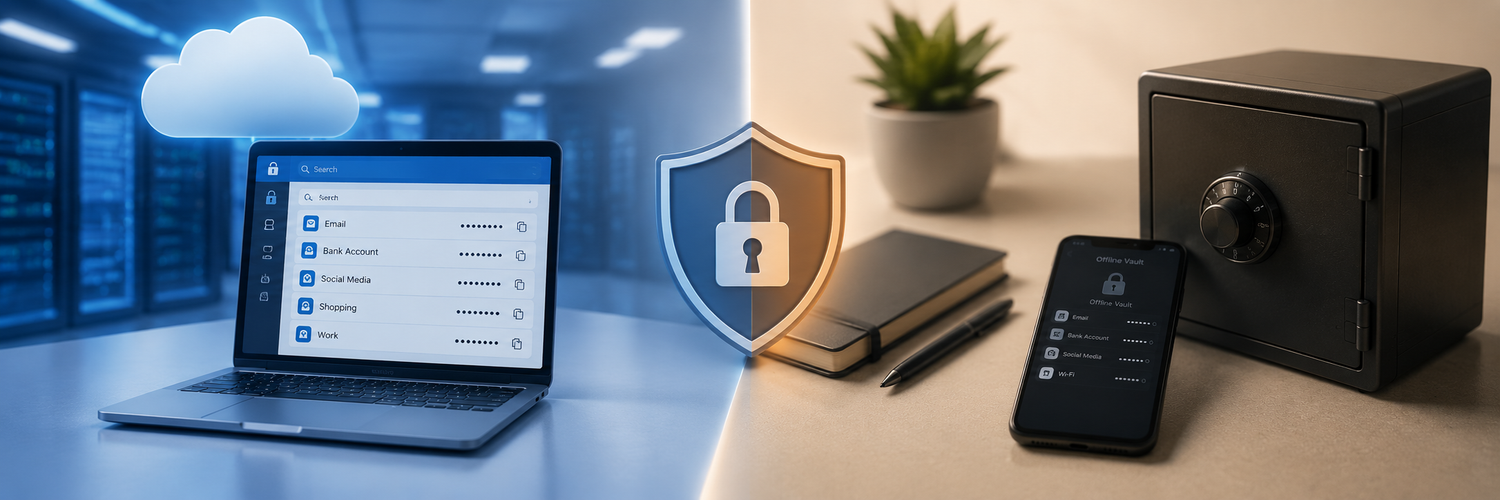
- Cloud managers are convenient: automatic syncing across devices and easy recovery. The cost is that your vault lives on someone else's servers, and you're trusting their security.
- Offline managers keep your encrypted data only on your own device, never sending it to external servers. That eliminates provider-breach risk and gives you full control — at the cost of handling your own backups and syncing.
A practical middle path many people use: keep everyday, low-risk logins wherever is most convenient, and keep your most sensitive credentials — banking, crypto, recovery codes — in offline storage that's isolated from the cloud entirely.

FAQ
-
Is it dangerous to keep all my passwords in one place?
Less dangerous than reusing passwords. A good manager encrypts everything behind one strong master password — the real risk is a weak master password or a compromised device, not the concept itself. -
Have password managers ever been hacked?
Yes, a few have had breaches. In most cases the stolen vaults stayed encrypted and unreadable — but it's a reminder that cloud storage concentrates risk on the provider's servers. -
Are offline password managers safer than cloud ones?
They remove the provider-breach risk entirely and give you full control, which is why many people use them for their most sensitive data. The trade-off is that you manage backups and syncing yourself. -
What if I forget my master password?
With zero-knowledge design, no one can reset it for you. Keep your master password and recovery codes stored safely offline when you first set up.
Make the Right Choice for Your Privacy
Password managers are safe and a big step up from reused passwords — but where your vault lives still matters. For everyday logins, convenience is fine; for the credentials you truly can't afford to lose, offline storage on a device only you can unlock keeps them beyond the reach of provider breaches and cloud attacks entirely. Match the protection to the value of the account, and keep your most sensitive secrets in your own hands.